

Introduction
This is a code lab on building a simple application where you can create a Smart Contract Wallet and start sending and receiving tokens without paying any Gas Fees! At the end of this code lab, we will build an application that returns your Smart Contract Wallet Address, a Form that you can use to send tokens, and a display of the Tokens owned by the Smart Contract Wallet with their respective balances. FuseBox leverages Account Abstraction out of the Box. It is an Open Source Wallet-As-A-Service platform and is ERC-4337 complaint. Providing Developers the ability to use a Bundler for collacting UserOperations, and also a Paymaster to sponsor Gas payments for their users to provide a Gasless experience.Prerequisites
Before we begin, ensure you have the following:- Node.js is installed on your machine.
- Code Editor: Use your preferred code editor; VS Code is recommended.
- An EOA wallet with a private key. You can use an existing one or create a new wallet.
- A basic understanding of React.js and Next.js.
- An API key from the Fuse Console. Get one here.
Step 1: Set Up Your Next.js App
Create a new Next.js app: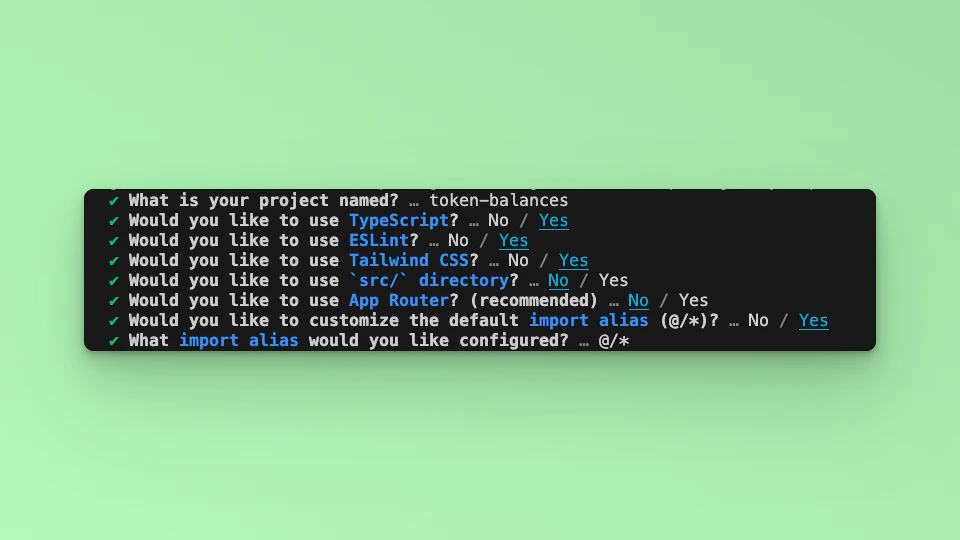
Step 2: Install Dependencies
Install the required dependencies:Step 3: Run the Development Server
Run npm run dev to start the development server. Visithttp://localhost:3000 to view your application.
Step 4: Import Libraries
Open the index.tsx file, delete the default code from NextJS. Editindex.tsx file by adding the code below and save it to see the updated result in your browser. First, import the required libraries and put up a default `Hello, World!’ text:
Step 5: Create a Smart Contract Wallet.
To use the SDK in your project, you must create an instance of the FuseSDK class. This class is the key to interacting with the Fuse API using the SDK. The init method sets up a wallet and authenticates the user’s provided credentials. It requires a API_KEY from FuseBox. Create an Account and get the API_KEY in the Fuse Developer Console here. When you send a request to the server using this method, it verifies the credentials. If the credentials are valid, developers can use thegetSender() to return an address.
To create the Smart Contract Wallet, we will update the code by adding a smartWallet function, and parsing the returned Smart Contract Address to a state variable.
Inside the Home Component, import the useState method:
smartWallet function:
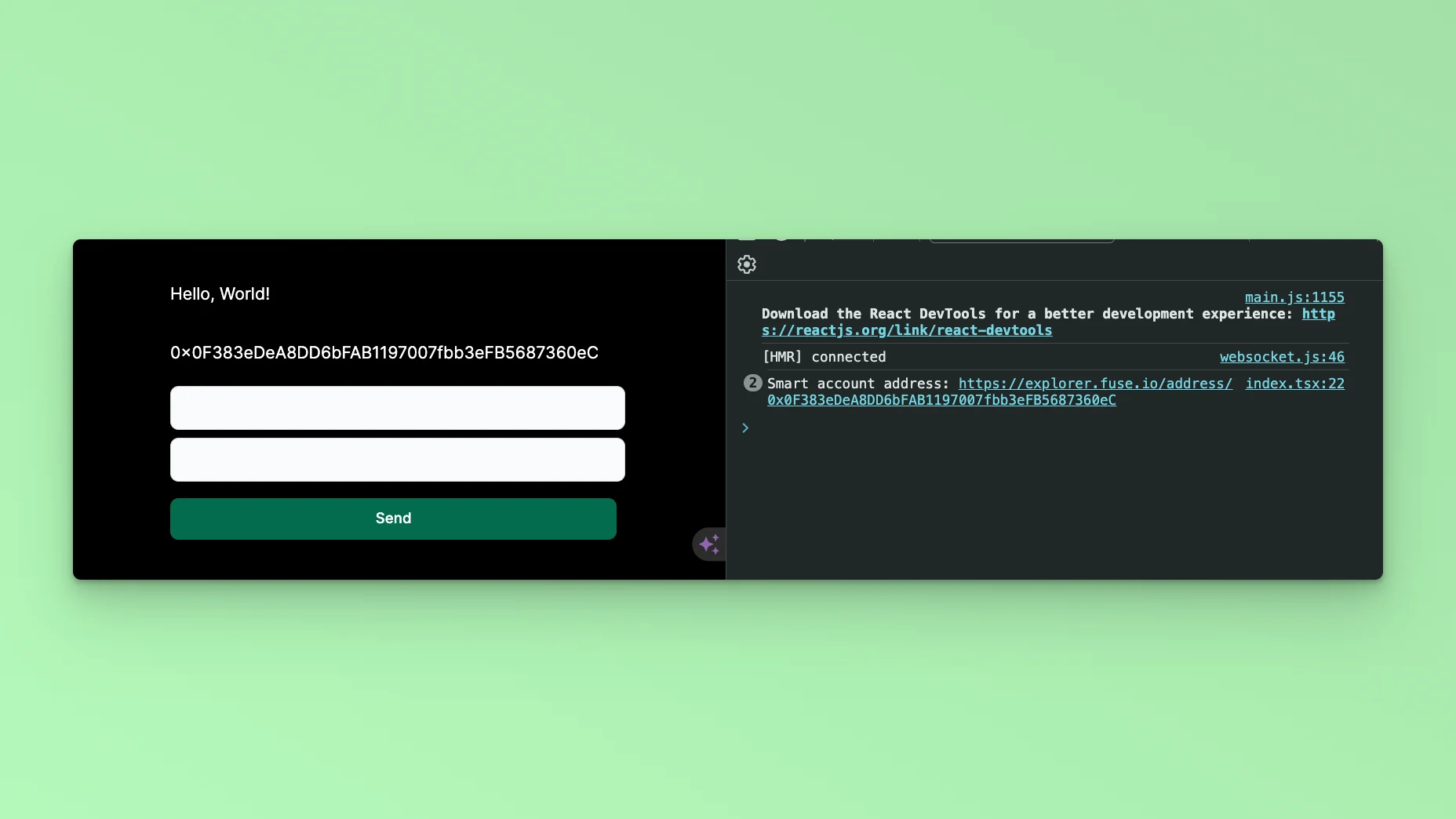
Step 6: Token Transfers
Transfer Transactions which happen on the Blockchain are state-changing. In Account Abstraction these “Transactions” are called “UserOperations” because they are first sent to an alternate Mempool where they are then Bundled and sent on-chain. FuseBox uses thetransferToken method to carry out a UserOperation of transferring a Token from one Address to another.
Add another Function transferToken:
transferToken method takes in three arguments: tokenAddress, recipient, amount.
The tokenAddress is the address of the Token which we are sending a specific amount to a receiving address recipient. You can find a list of Token Addresses here: https://explorer.fuse.io/tokens
It is important to mention that when sending a Token, you will parse the token in units to the number of the decimal places which the Token is defined. For example, USDC has 6 decimal places. To send 1 USDC, you parse it thus:
Step 7: Form UI.
To carryout Token Transfer, the next step is to build a Form component where we can enter the recipient and amount values we want to transfer to. Update the UI:transferToken method.
Let’s write the state variables to store the recipient and amount values. In this example, we will keep the tokenAddress static as USDC.
handleSubmit method:
transferToken function to read the values stored in the state:
Form Component
transferToken function.
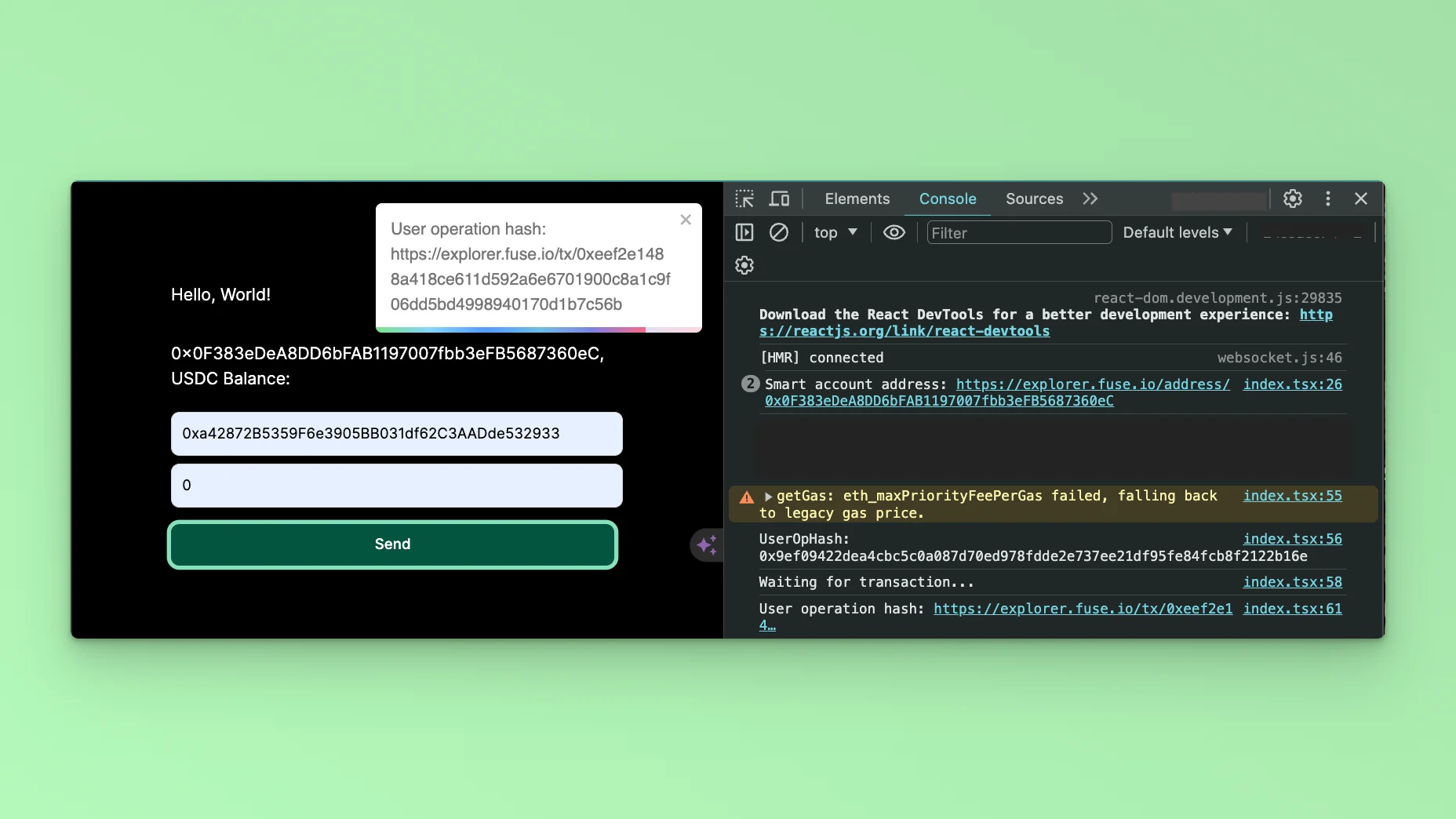
Conclusion
This tutorial has provided a comprehensive guide on utilizing the FuseBox Web SDK to develop a Demo App for creating Smart Wallet Accounts and executing transfers, all seamlessly integrated with the NextJS UI framework. Throughout the tutorial, we’ve explored the fundamentals of integrating the FuseBox Web SDK into a Next.js project, including initializing the SDK, managing smart wallet accounts, and implementing transfer functionalities. This tutorial is a valuable resource for developers looking to harness the power of FuseBox and NextJS to create innovative blockchain-based applications. With the knowledge gained from this tutorial, developers can confidently embark on their journey to build cutting-edge solutions that empower users to interact with digital assets securely and efficiently. To stretch your knowledge, you can use theGET Smart Wallet Token Balance to implement viewing the Balance of the Smart Contract Wallet.
Checkout the complete code. 💻