Using Remix and Metamask
Remix is an IDE for smart contract development, including compilation, deployment, testing, and debugging. Check out the official documentation to learn more about setting up and using Remix. For help setting up MetaMask, please visit the official documentation.Connecting Remix to Fuse via MetaMask
Remix supports the following environments for contract deployment via Fuse:- Javascript VM
- Injected Web3
- Web3 Provider
- To start, go to https://remix-project.org/
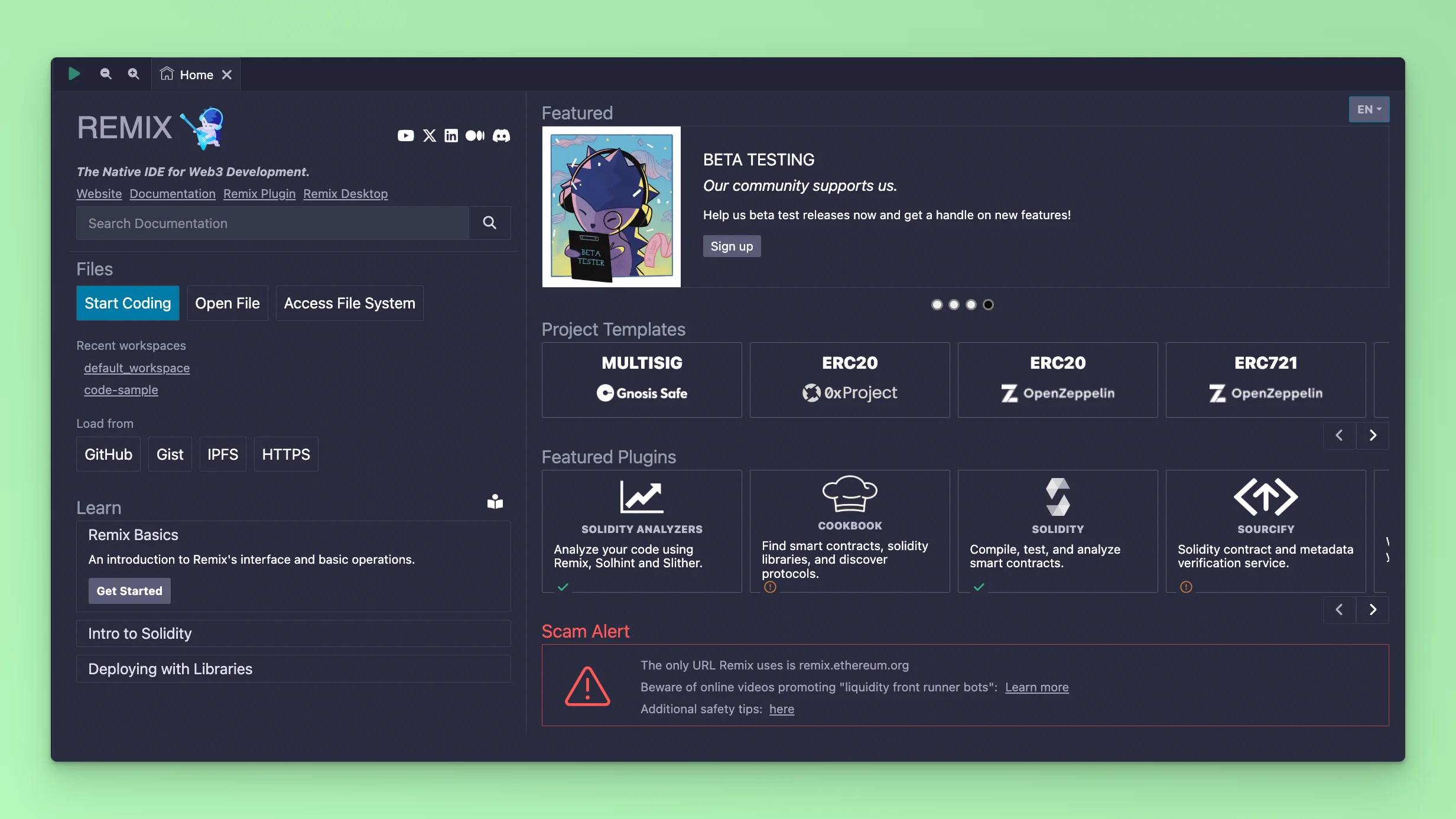
Token.sol and add the code:
0.8.0
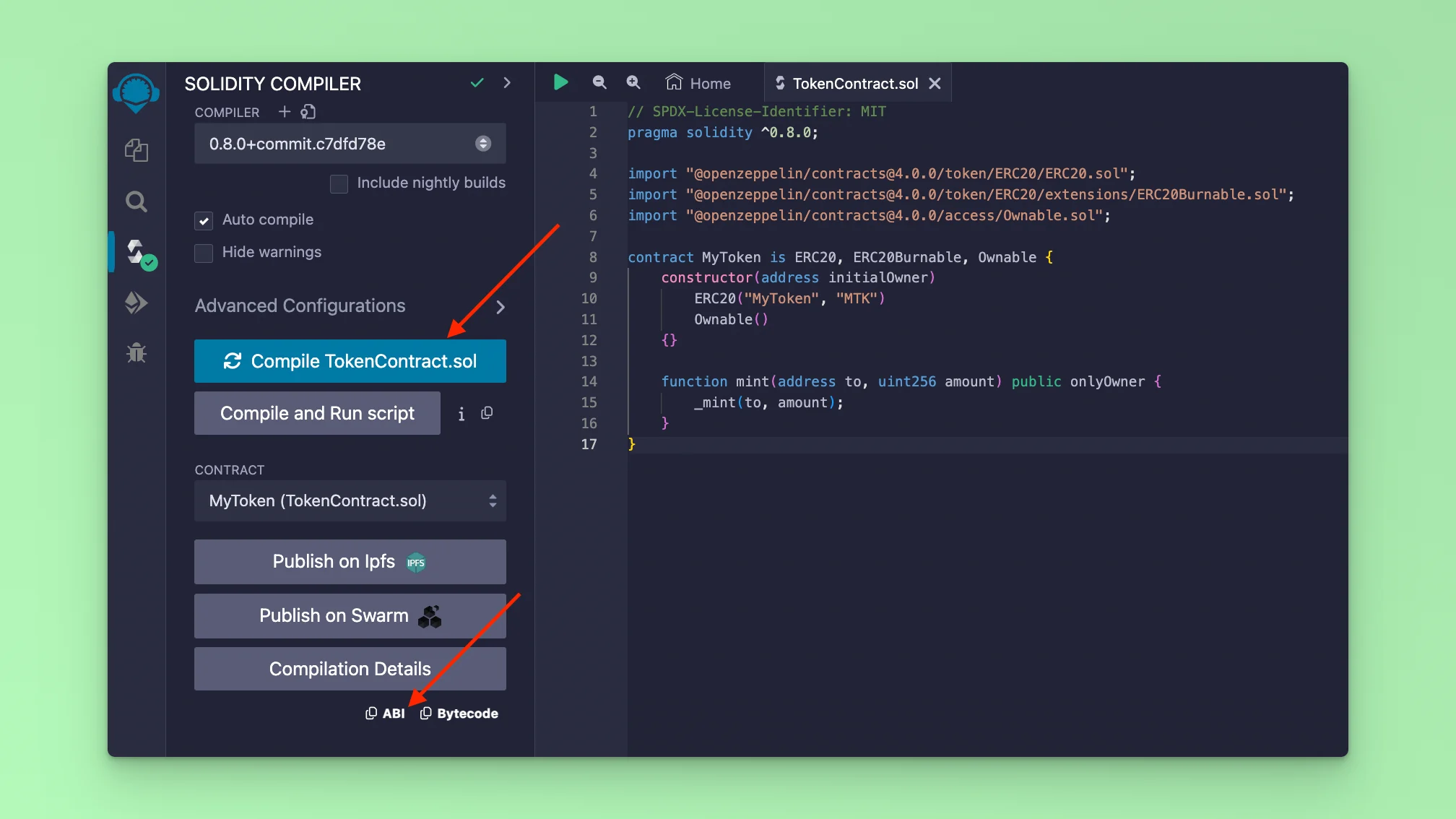
If your code compiles successfully, you will see the Solidity logo with a green tick. After a successful Smart Contract compile, you can also copy the abi code which is used for interacting with your Smart Contract methods via a UI.
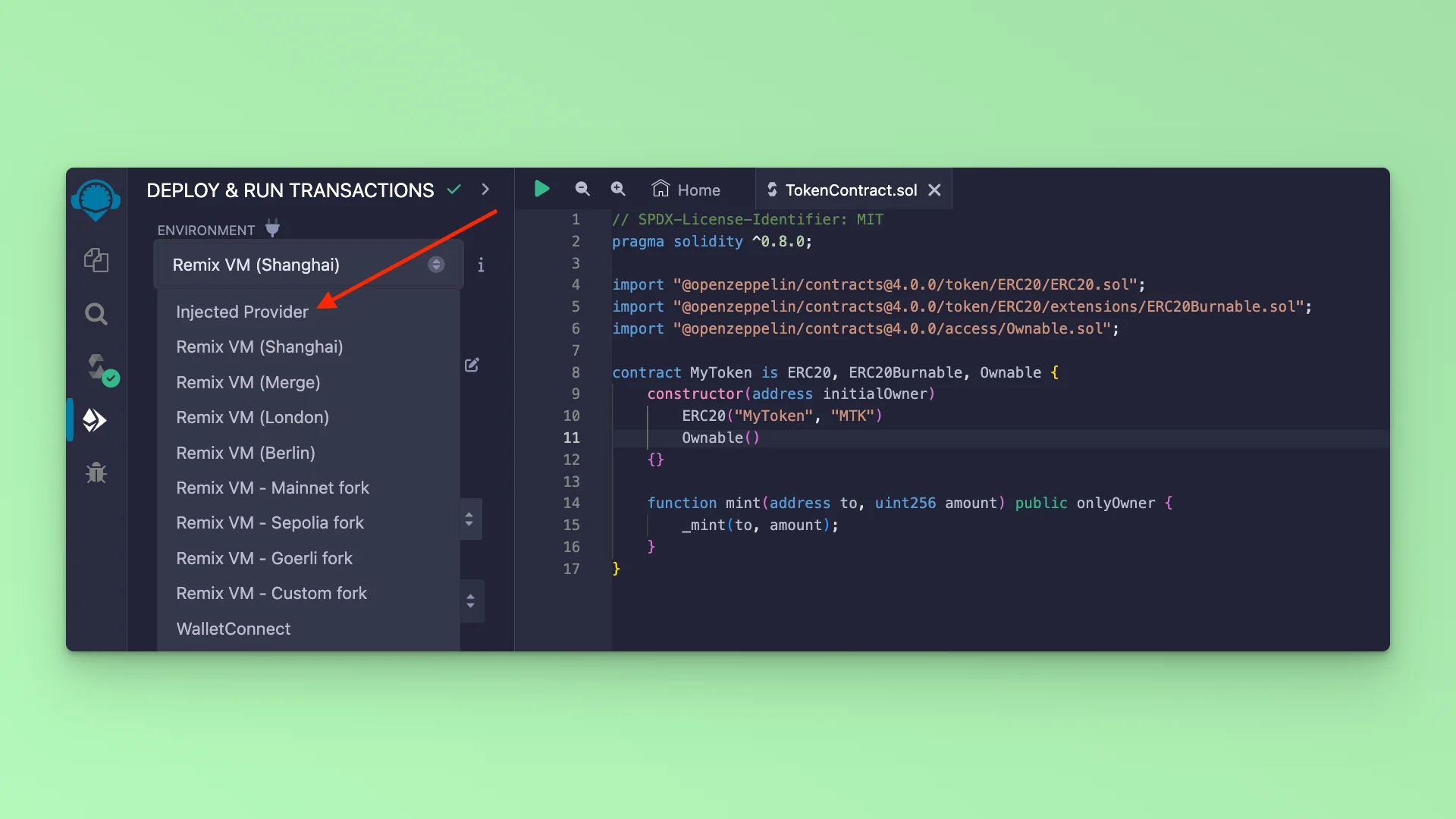
The next step is to deploy the Smart Contract. Remix IDE provides an environment where you can deploy and interact with a deployed Smart Contract via its UI. It can be used for Testing purposes and also for deploying actual production ready contratcs both to mainnet and testnets. Remix provides a list of ENVIRONMENTS enabling deployments. To deploy to Fuse Blockchain, you have to connect your MetaMask Wallet to Remix.
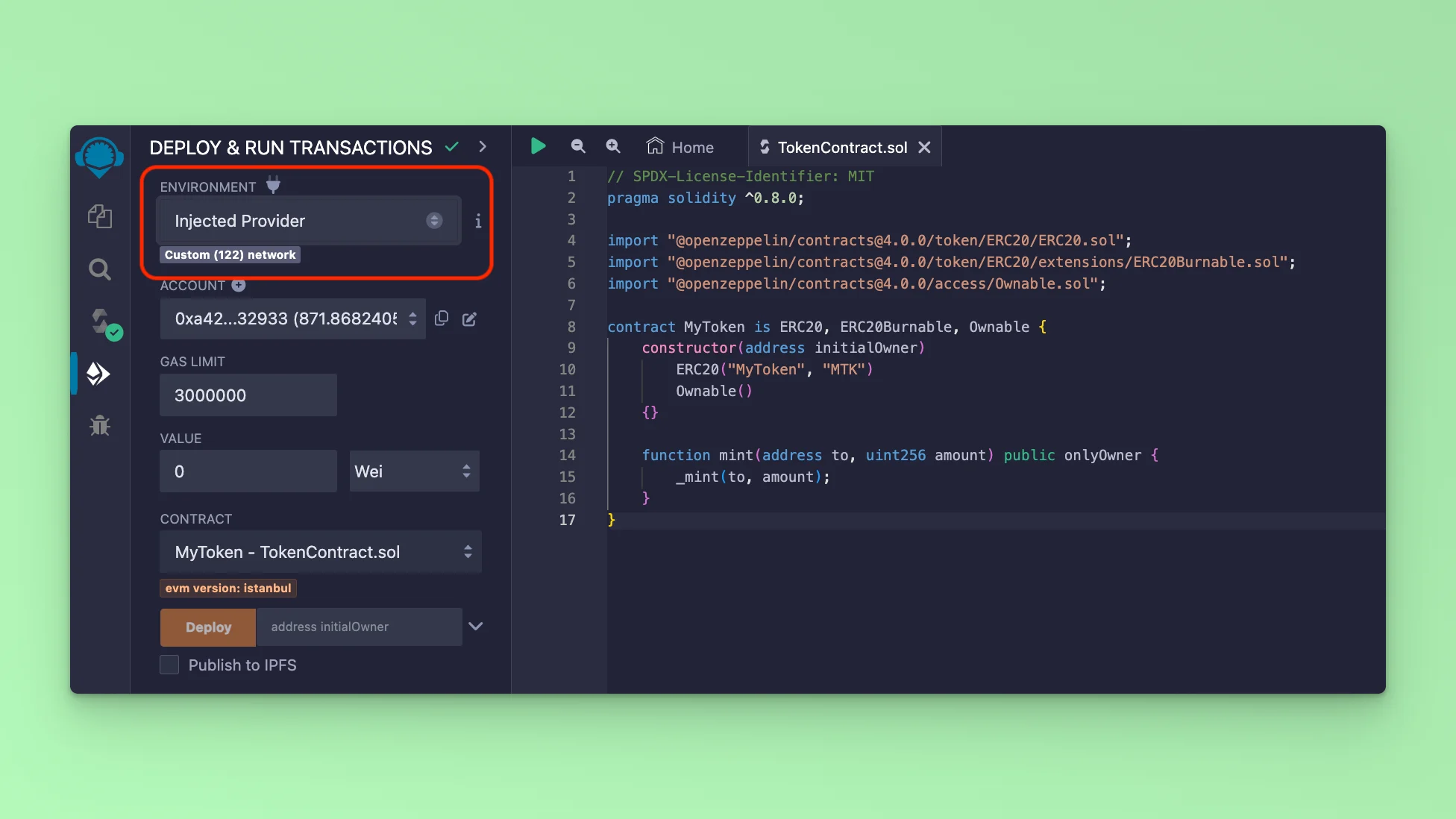
Go to the deploy tab. Select the ENVIRONMENT dropdown and select the option Injected Provider
This will prompt you to sign into your MetaMask, if you are already signed in, it will display your Wallet Address information and the Fuse Network information: mainnet or testnet.
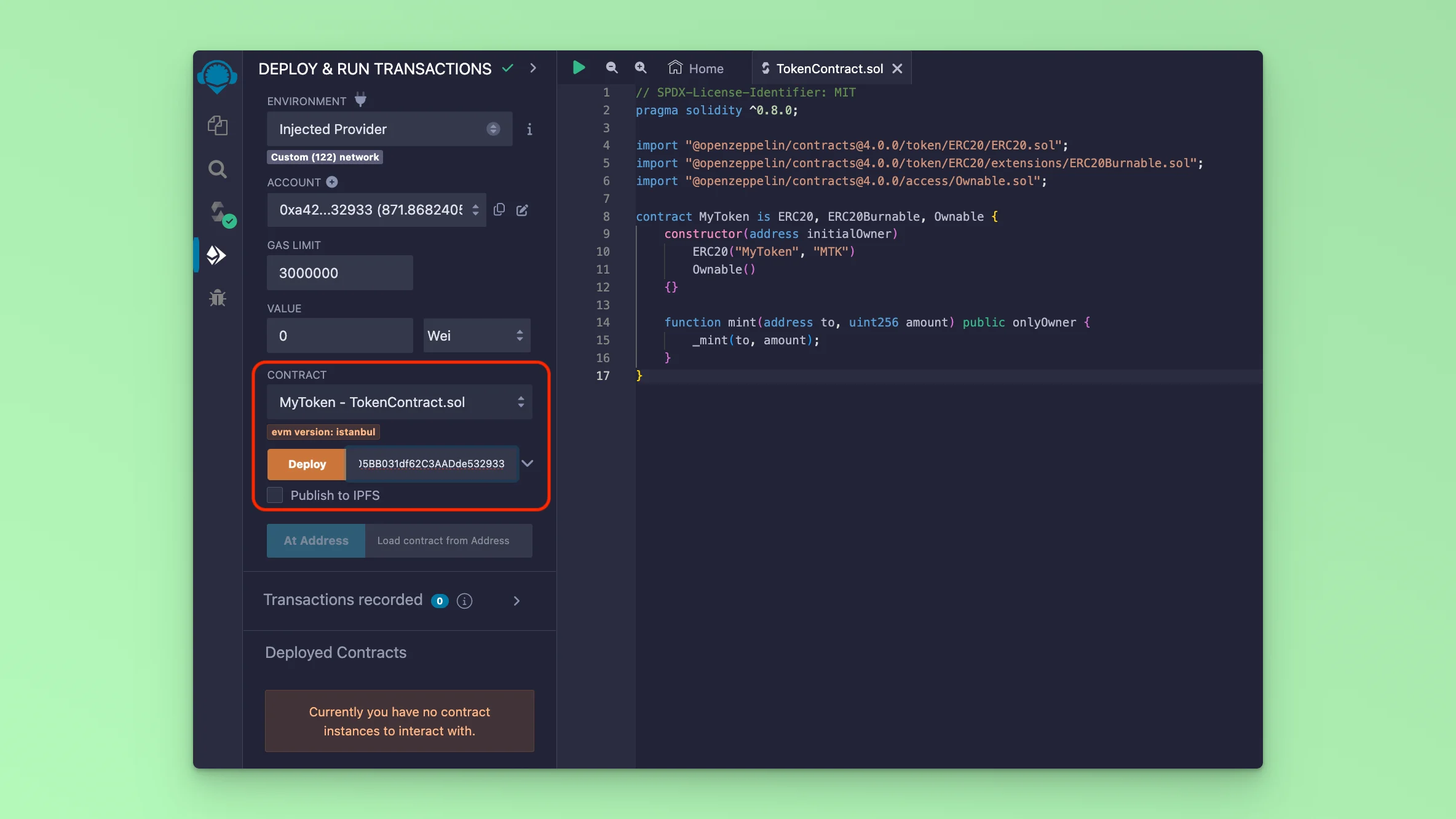
After you have connected your MetaMask, the next step is to deploy the Smart Contract. Go to the deploy tab, and simply click the button Deploy. This will prompt an interaction with MetaMask which requires your approval. Approve the Transaction and it will deploy the Smart Contract to the Blockchain.
You can view your deployed Smart Contract by copying the Transaction Hash and looking it up in the Fuse explorers.
Fuse Mainnet Explorer is at https://explorer.fuse.io/
Fuse Testnet Spark is at https://explorer.fusespark.io/