> ## Documentation Index
> Fetch the complete documentation index at: https://docs.fuse.io/llms.txt
> Use this file to discover all available pages before exploring further.
# Using Remix And Metamask
# Using Remix and Metamask
Remix is an IDE for smart contract development, including compilation, deployment, testing, and debugging.
Check out the [official documentation](https://remix-ide.readthedocs.io/en/latest/) to learn more about setting up and using Remix.
For help setting up MetaMask, please visit [the official documentation](https://metamask.zendesk.com/hc/en-us).
### Connecting Remix to Fuse via MetaMask
Remix supports the following environments for contract deployment via Fuse:
* Javascript VM
* Injected Web3
* Web3 Provider
Using MetaMask with Remix is an example of Injected Web3, which is illustrated in this guide.
* To start, go to [https://remix-project.org/](https://remix-project.org/)
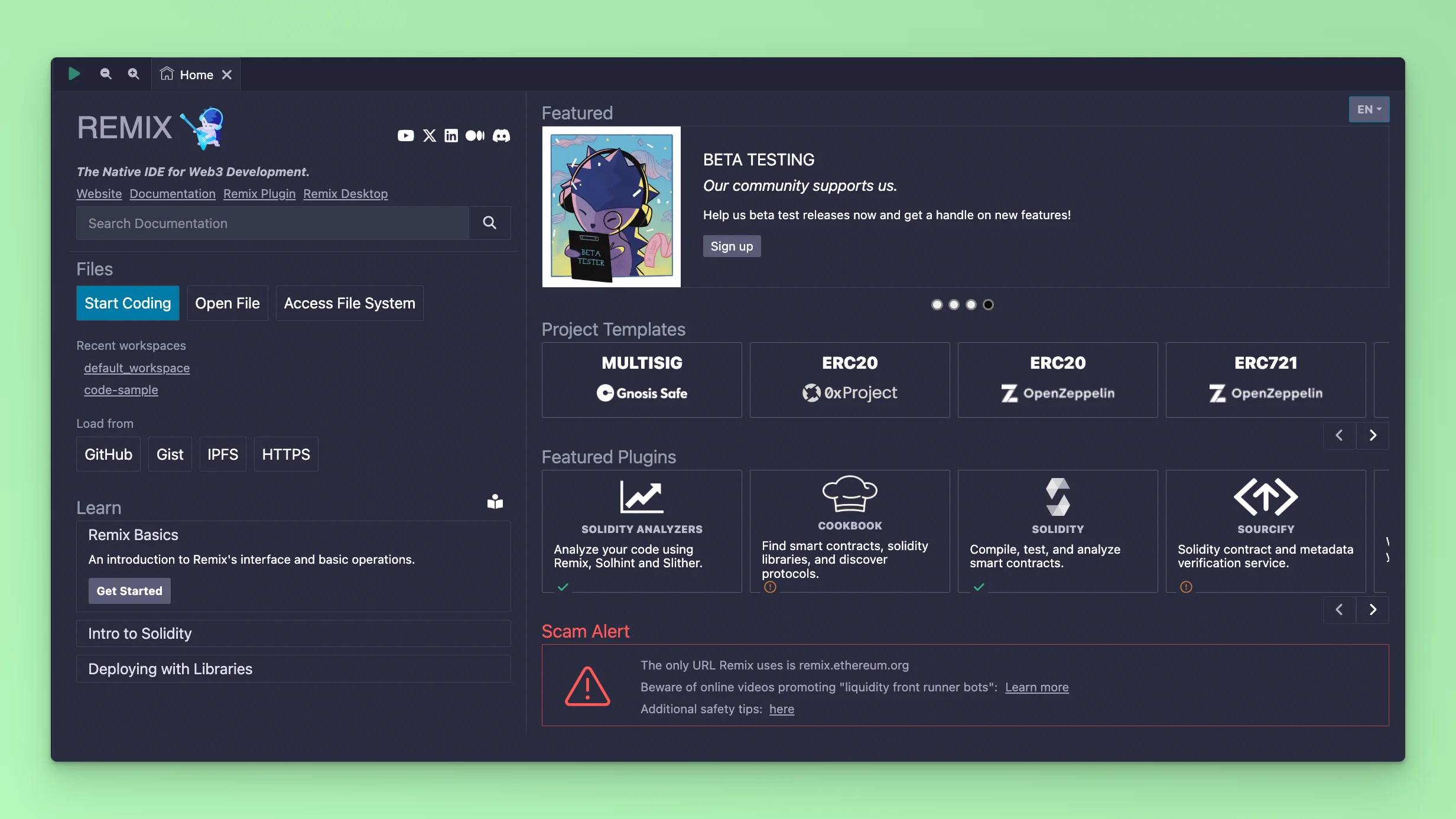 Create a Folder or a File where you want to write your Smart Contract, in this guide we will code and deploy an ERC-20 Token. Create a file called `Token.sol` and add the code:
```solidity theme={null}
// SPDX-License-Identifier: MIT
pragma solidity ^0.8.0;
import "@openzeppelin/contracts@4.0.0/token/ERC20/ERC20.sol";
import "@openzeppelin/contracts@4.0.0/token/ERC20/extensions/ERC20Burnable.sol";
import "@openzeppelin/contracts@4.0.0/access/Ownable.sol";
contract MyToken is ERC20, ERC20Burnable, Ownable {
constructor(address initialOwner)
ERC20("MyToken", "MTK")
Ownable()
{}
function mint(address to, uint256 amount) public onlyOwner {
_mint(to, amount);
}
}
```
The next step is to compile your Smart Contract Code to ensure there are no bugs or syntax errors.
Click the Compile button and select a **Compiler** version. In this example, it is `0.8.0`
Create a Folder or a File where you want to write your Smart Contract, in this guide we will code and deploy an ERC-20 Token. Create a file called `Token.sol` and add the code:
```solidity theme={null}
// SPDX-License-Identifier: MIT
pragma solidity ^0.8.0;
import "@openzeppelin/contracts@4.0.0/token/ERC20/ERC20.sol";
import "@openzeppelin/contracts@4.0.0/token/ERC20/extensions/ERC20Burnable.sol";
import "@openzeppelin/contracts@4.0.0/access/Ownable.sol";
contract MyToken is ERC20, ERC20Burnable, Ownable {
constructor(address initialOwner)
ERC20("MyToken", "MTK")
Ownable()
{}
function mint(address to, uint256 amount) public onlyOwner {
_mint(to, amount);
}
}
```
The next step is to compile your Smart Contract Code to ensure there are no bugs or syntax errors.
Click the Compile button and select a **Compiler** version. In this example, it is `0.8.0`
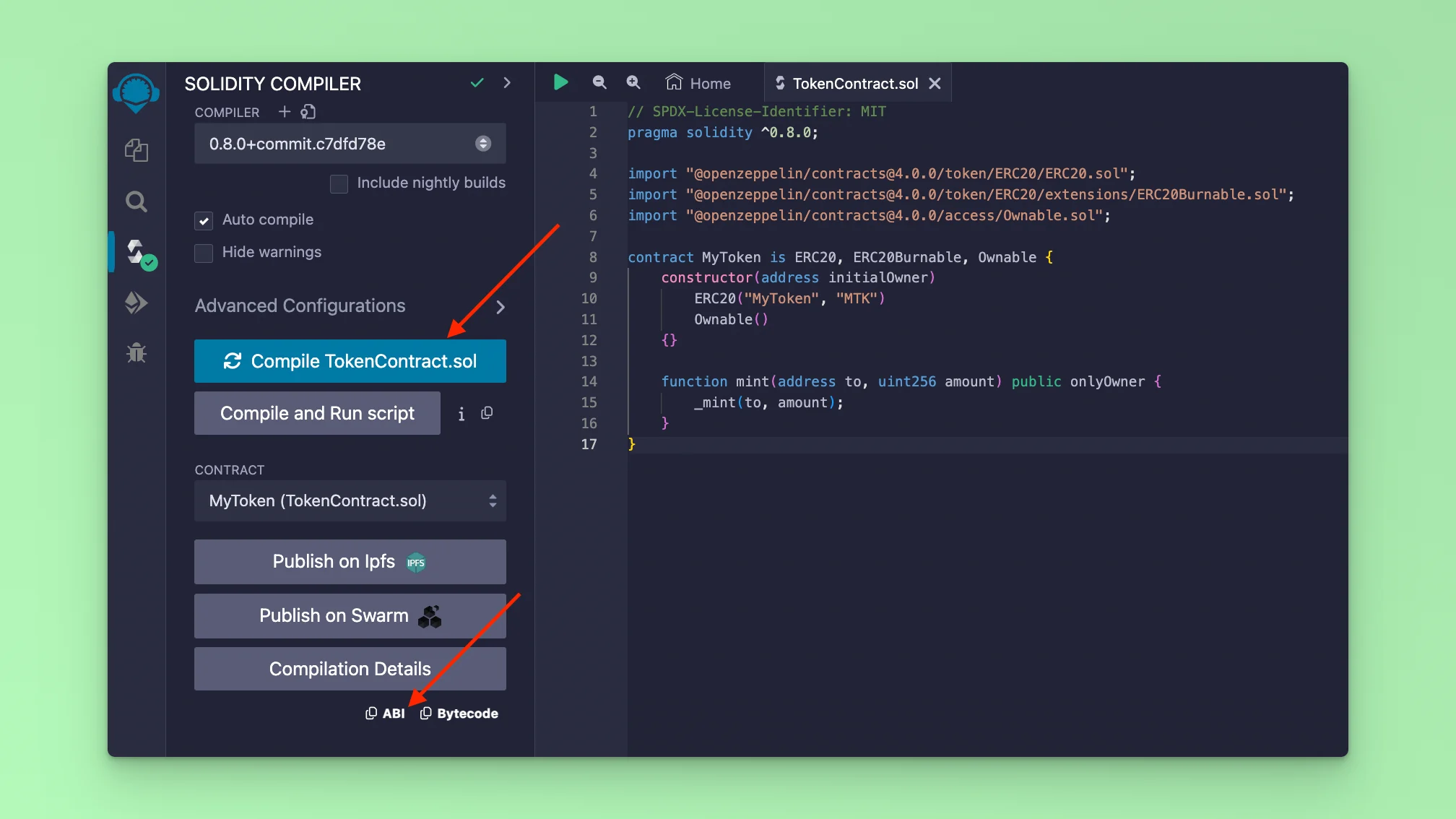 If your code compiles successfully, you will see the **Solidity** logo with a green tick. After a successful Smart Contract compile, you can also copy the abi code which is used for interacting with your Smart Contract methods via a UI.
The next step is to deploy the Smart Contract. Remix IDE provides an environment where you can deploy and interact with a deployed Smart Contract via its UI. It can be used for Testing purposes and also for deploying actual production ready contratcs both to mainnet and testnets. Remix provides a list of **ENVIRONMENTS** enabling deployments. To deploy to Fuse Blockchain, you have to connect your MetaMask Wallet to Remix.
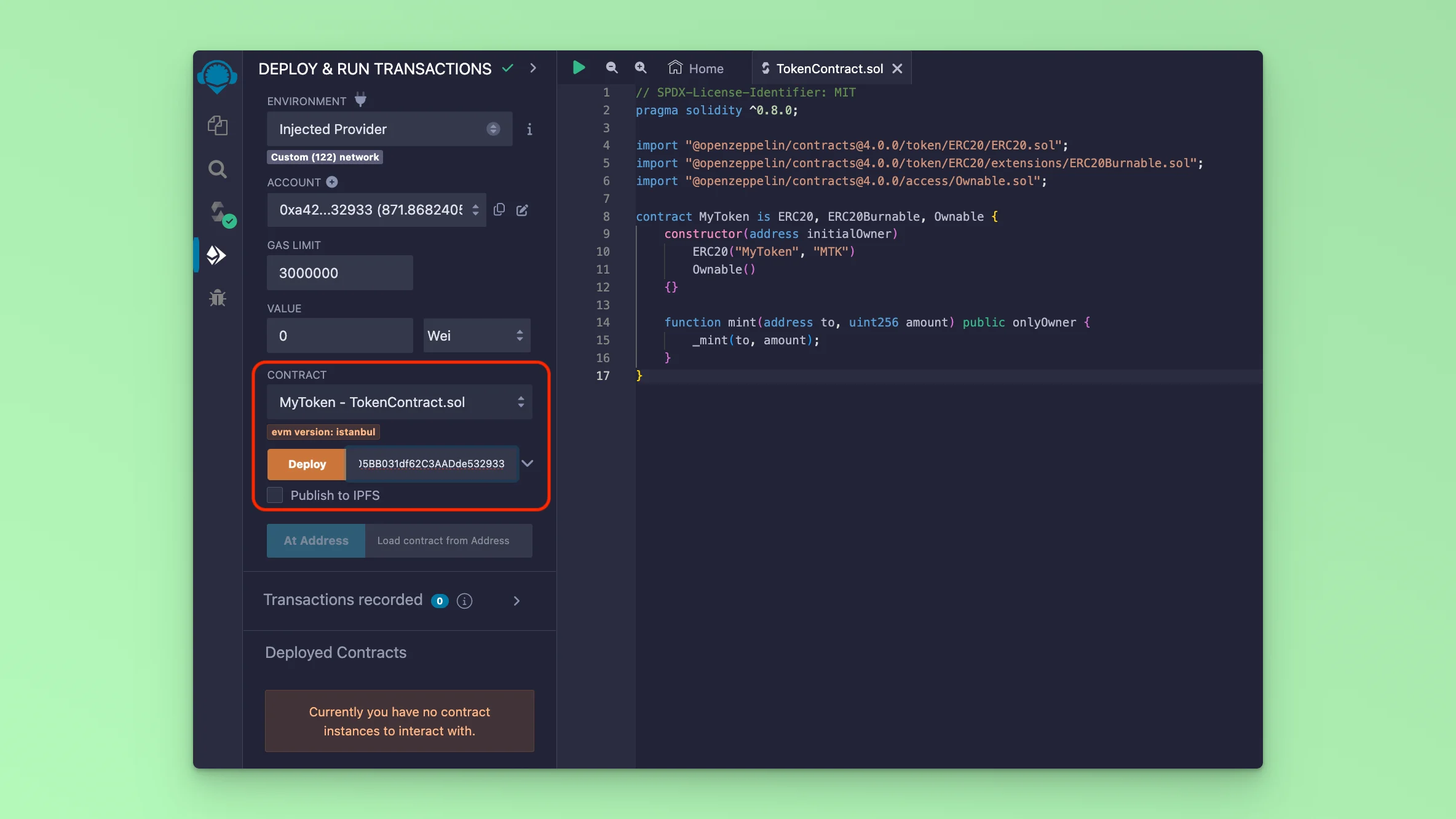
Go to the deploy tab. Select the **ENVIRONMENT** dropdown and select the option **Injected Provider**
If your code compiles successfully, you will see the **Solidity** logo with a green tick. After a successful Smart Contract compile, you can also copy the abi code which is used for interacting with your Smart Contract methods via a UI.
The next step is to deploy the Smart Contract. Remix IDE provides an environment where you can deploy and interact with a deployed Smart Contract via its UI. It can be used for Testing purposes and also for deploying actual production ready contratcs both to mainnet and testnets. Remix provides a list of **ENVIRONMENTS** enabling deployments. To deploy to Fuse Blockchain, you have to connect your MetaMask Wallet to Remix.
Go to the deploy tab. Select the **ENVIRONMENT** dropdown and select the option **Injected Provider**
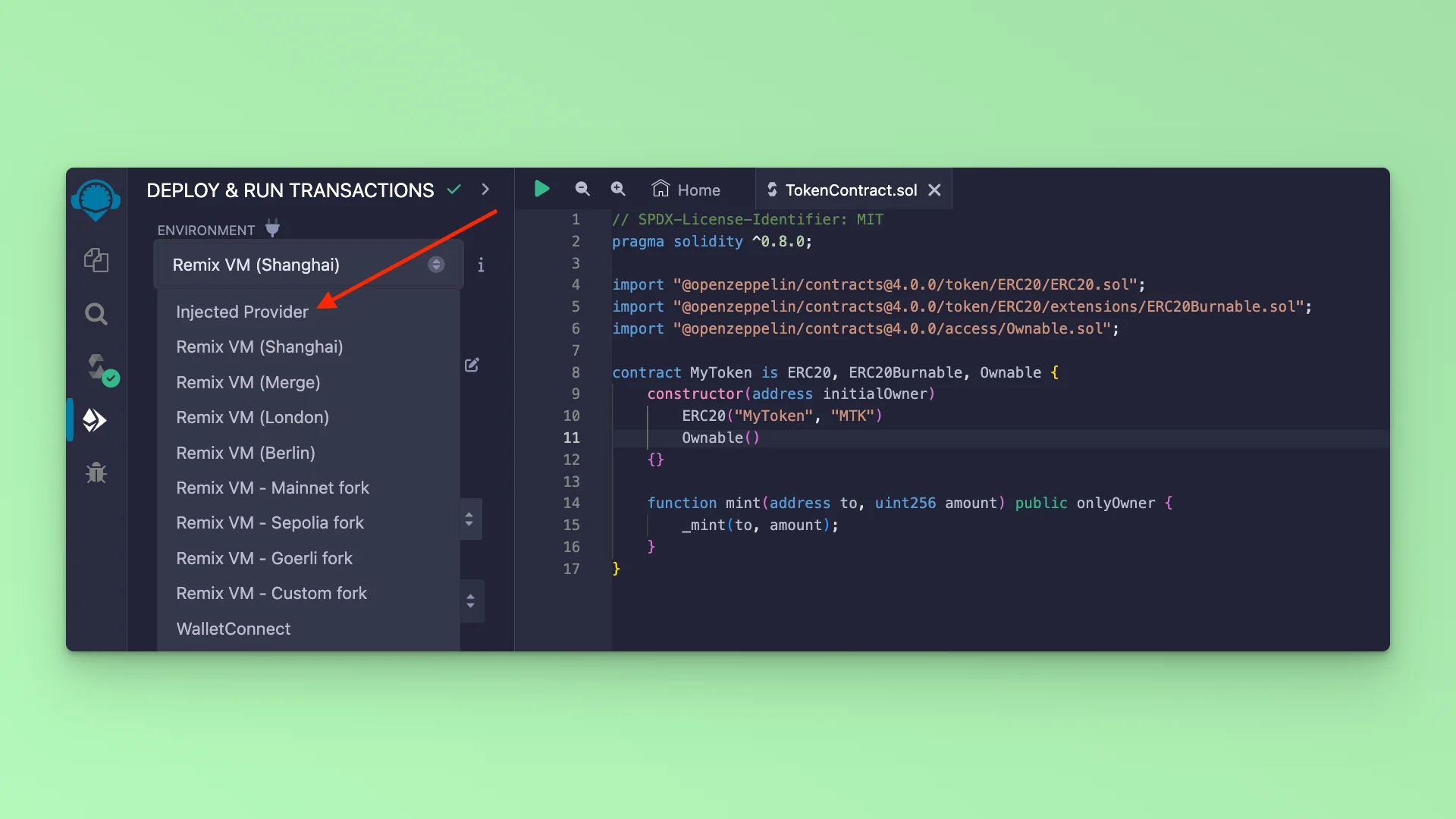 This will prompt you to sign into your MetaMask, if you are already signed in, it will display your Wallet Address information and the Fuse Network information: mainnet or testnet.
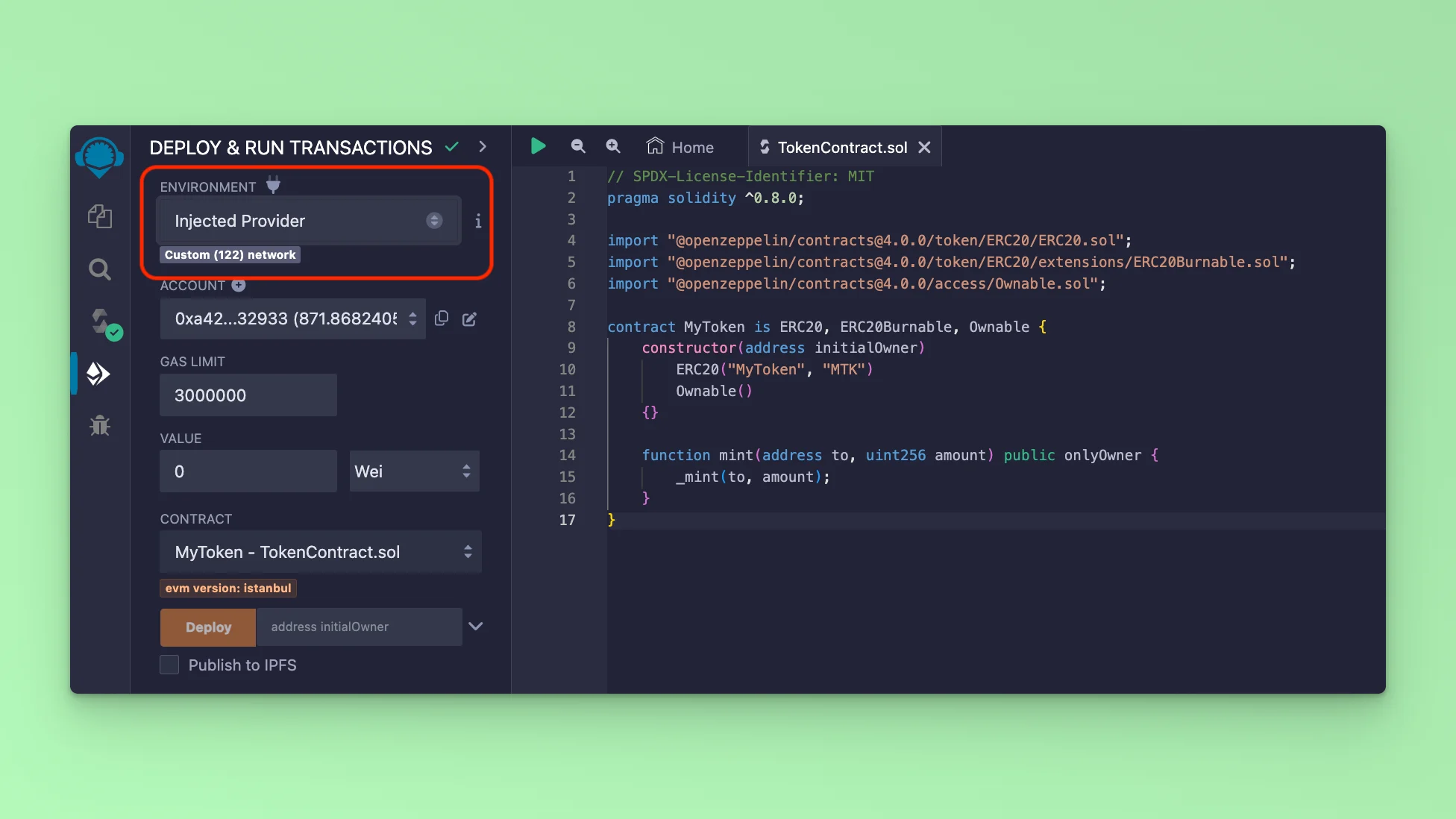 After you have connected your MetaMask, the next step is to deploy the Smart Contract. Go to the deploy tab, and simply click the button **Deploy**. This will prompt an interaction with MetaMask which requires your approval. Approve the Transaction and it will deploy the Smart Contract to the Blockchain.
 You can view your deployed Smart Contract by copying the Transaction Hash and looking it up in the Fuse explorers.
Fuse Mainnet Explorer is at [https://explorer.fuse.io/](https://explorer.fuse.io/)
Fuse Testnet Spark is at [https://explorer.fusespark.io/](https://explorer.fusespark.io/)
You can view your deployed Smart Contract by copying the Transaction Hash and looking it up in the Fuse explorers.
Fuse Mainnet Explorer is at [https://explorer.fuse.io/](https://explorer.fuse.io/)
Fuse Testnet Spark is at [https://explorer.fusespark.io/](https://explorer.fusespark.io/)